
Courses, programmes and enrolment
Organise educational programmes and courses, assign teachers, create groups and enrol learners individually or through CSV import.
Online education • learning management • your own infrastructure
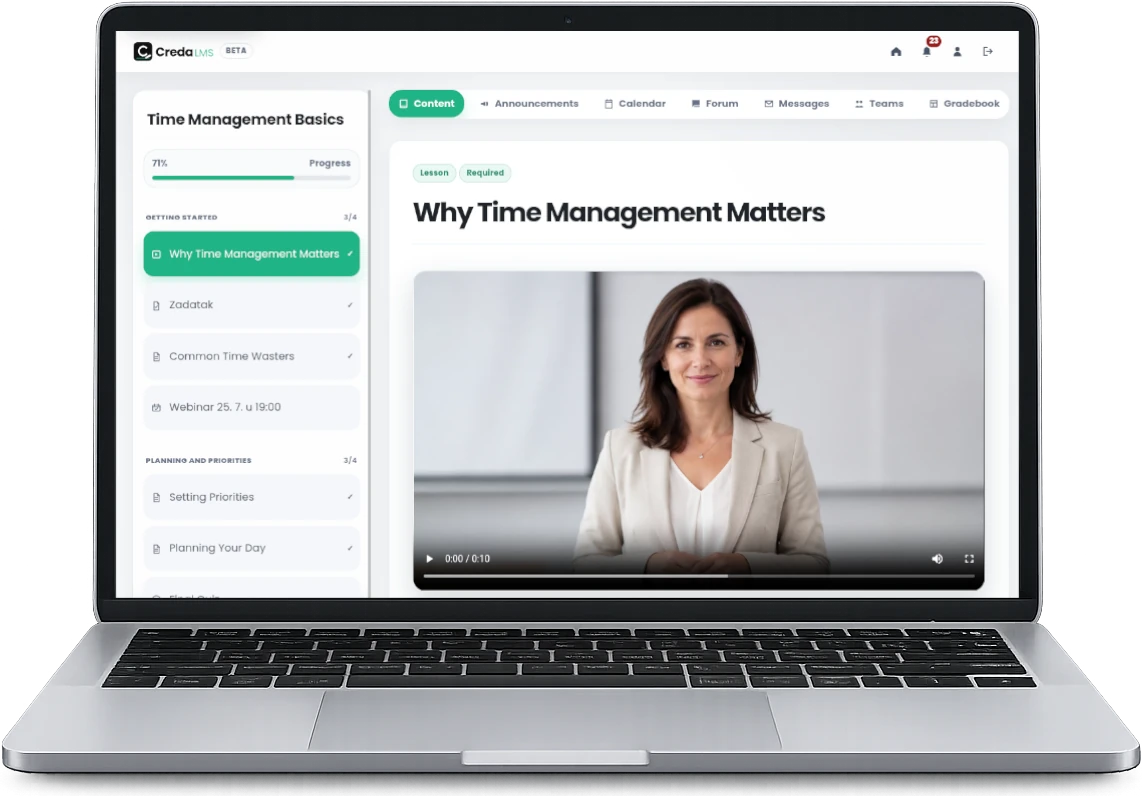
Creda LMS brings courses, interactive H5P and multimedia content, quizzes, assignments, teamwork, grades, communication and analytics together in a platform designed for the real needs of educational institutions.
Available for demonstrations and pilot implementations.
Platform features
Creda LMS connects content, interactive activities, communication, assessment and records in a clear process that is easy to manage.
Organise educational programmes and courses, assign teachers, create groups and enrol learners individually or through CSV import.
Combine text, images, video, an embedded audio player, files, links and interactive H5P activities in a clear lesson structure.
Create different question types, set time limits and availability, and use automatic or manual grading, rubrics and feedback.
Connect live sessions with lessons, display deadlines and events in the calendar, and send targeted or scheduled notifications.
Connect forums and messaging with teams, shared assignment submissions and anonymous peer assessment with automatic adjustment of individual grades.
Manage gradebooks and final grades, track ECTS, CPD, CSVET or other credits, course completion and key engagement indicators.
Award achievement badges and issue digital certificates with a unique code, link and QR code for public verification.
Bring enrolments, course status, grades, credits, certificates and other data together in clear records for learners, teachers and administrators.
For educational institutions
From credit terminology and grading scales to languages, visual identity and available modules, Creda LMS can be aligned with the way each institution works.
Let’s discuss how your institution worksThe system name, logo, primary colour, login text and interface design can reflect the institution’s identity.
The system supports a multilingual interface and an institution-wide default language, while allowing users to choose their preferred language.
Use ECTS, CPD, CSVET or another credit label, and define your own final grading scales.
Enable only the modules each course needs: forums, messages, teams, grades, calendar or announcements.
Secure online testing
Creda LMS can record events that may indicate an interruption of supervision or unauthorised activity and, when enabled, record the candidate’s camera and desktop.
The availability of individual functions depends on institutional settings, the browser and user permissions.
Mentor support
In self-paced online learning, publishing content is not enough. Learners need guidance, encouragement and the sense that someone is accompanying them through the learning process.
Creda LMS allows you to add pre-recorded short video messages from a mentor. These messages can be placed at selected points in a course so learners receive support precisely when they need it most.
Three clear perspectives
Administrators manage the system, teachers deliver learning, and learners have a clear path through content and requirements.
Manages users, programmes, courses, enrolments, settings, certificates and reports.
Creates content, monitors activities, grades work and manages communication within assigned courses.
Tracks personal progress, completes activities and finds deadlines, results and feedback in one place.
Infrastructure control
Creda LMS can be installed on the client’s infrastructure. This allows the institution to retain direct control over user accounts, educational content, records and data-retention rules.
Platform implementation
Implementation can be gradual, with configuration, process testing and support for key users.
We define roles, programmes, grading methods, credits and required modules.
We adapt the identity, languages, rules and system structure.
A selected course and user group undergo controlled testing.
After the process is validated, the system is gradually opened to additional courses and users.
Frequently asked questions
No. The platform is designed for schools, training providers, colleges, universities and other organisations that deliver structured educational programmes.
On-premise installation is an important option, but the final hosting model is agreed according to the infrastructure, security requirements and maintenance arrangements.
No. Supported proctoring functions run in the web browser, with permission to access the camera, microphone or screen sharing when required.
Yes. The system name, visual identity, default language, credit labels, grading scales and availability of individual modules can be adapted.
Yes. Lessons can include interactive H5P content as well as images, video, audio, files and external links. Supported audio and video content plays directly within the Course Player.
The platform is available for demonstrations and pilot implementation agreements. The scope of the pilot and the conditions for production use are defined individually.
Arrange a conversation
During a short demonstration, we can cover the key processes: user and course management, multimedia and H5P content creation, assessment, teamwork, grading, records and reporting.